Aftermarket SIM that spoofs ICCIDs
Note: these devices are only needed, when a method does not exist for bypassing the activation process. These SIMs were all made obsolete with our current methods for activation (iLiberty+ and PwnageTool). There prices are currently a fraction of what they were. They may once again come to save the day when new firmware comes out. This tutorial was written back in the 1.1.2 firmware days, but is being preserved.
I was sent a Stealth SIM by the fine folks over at i Am iPhone in Canada. I've been interested in trying out this new SIM on the 4.6 bootloader to see how it performs.
The thing I like is that this SIM comes hard coded with both U.S. and international ICCIDs. You don't have to use any software in conjunction with this SIM to use it. Some see that as bad. The lack of being able to reprogram the SIM could prevent you from being locked out in the future should someone decide they want to crack down on these SIMs. The other thing I like about this SIM is how refined of a product it is. It is perfectly flat, unlike other SIMs which have a bit of a curve to them making them hard to install and more importantly: hard to remove. This SIM is also coated to protect the circuitry unlike some others. I was also informed the Stealth SIMs are now individually serialized and will display their serial number on start up. You will be able to authenticate the Stealth SIM by logging into a central server to verify its authenticity. I am unsure of how this is done though.
If you are unsure of your bootloader version, there is a program on my Installer repository that will quickly tell you which one you have. It is called BaseBand Information.
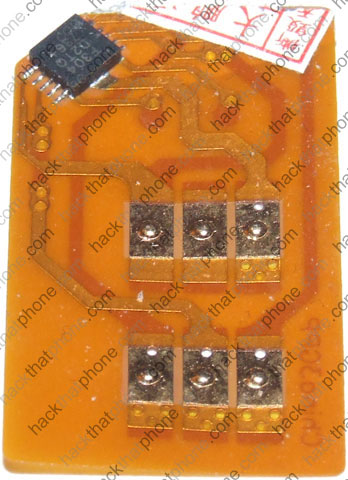
Here is the SIM I will use (it's on a GoPhone plan). You may not be able to see it but on the Stealth SIM on the right, in the upper right corner there is a chip. You must cut out a corner of your SIM to make room for this chip so that they can both fit into the SIM tray together.
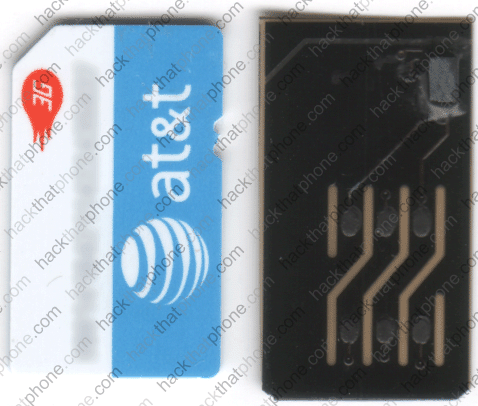
I made a couple marks on my SIM so I had an idea where to cut. I then used an X-ACTO knife to cut the SIM.
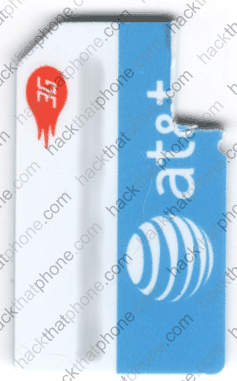
Now put your SIM on top of the Stealth SIM so the chip shows through the open area.

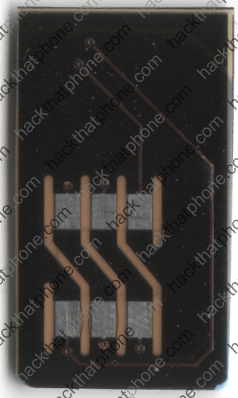
Now flip them over.
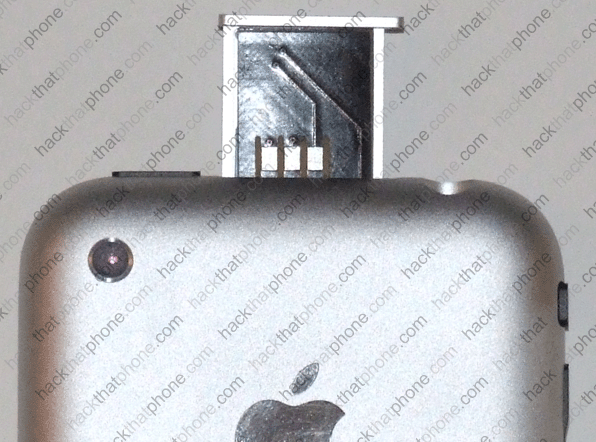
Now place them into the SIM tray and make sure they are square and fit flatly in place.

Once you've got everything positioned just right, I find it's easiest to grip the very bottom of the SIMs with your thumb and index finger and squeeze them together and slowly slide them into the slot. It may seem to get stuck just as the tray is almost all the way in. Just give it a push and it will go in.
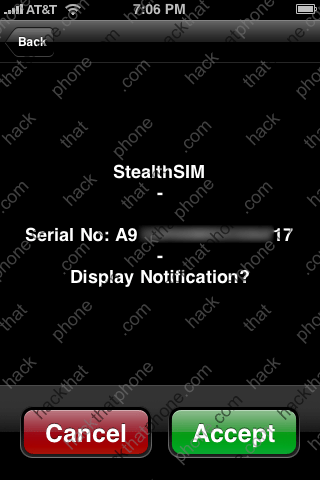
As soon as you turn the iPhone on you will be greeted with this message. If you choose Cancel this message will go away and you will have access to your SpringBoard. Make some calls.
If you choose Accept you will see StealthSIM under your clock when you are on this screen.
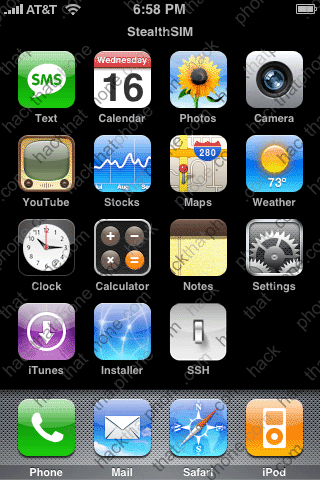
That's all there is to the StealthSIM.
Another aftermarket SIM that spoofs ICCIDs
Working on an iPhone for a customer, I had the chance to try out one of those SIMs that claim to unlock the iPhone. In actuality they spoof the ICCID of a known legitimate carrier, this tricks the iPhone into thinking it is using the correct SIM.This particular iPhone had the 4.6 bootloader and was purchased in the U.S. I let the customer know there was nothing I could do with this iPhone (short of jailbreaking it) and recommended that if he wanted to use it as a phone right away, that he purchase an aftermarket SIM. The customer got a hold of a SIM and sent it to me. He knew nothing about it as far as who made it or how it was to be used. I decided to just go for it and install it and see if it would work.
Here is what the SIM looks like. Some refer to this as a PSS, some referred to it as a 3GPP. Whatever it is called, this particular SIM will only work on U.S. iPhones. I know because I tried it on a U.K. iPhone and it failed to function (the iPhone sent an alert message right away about the SIM being invalid).
Next, I put a SIM (ignore the fact that this is an AT&T SIM, I merely practiced cutting on this SIM before using my Cingular SIM) next to the aftermarket SIM and marked the area which I needed to remove. You must do this so that the chip on the aftermarket SIM will fit into the slot in the top of the iPhone. I used an X-ACTO knife and took my time. I also cleaned up the edges where I cut so that the SIM was as smooth as possible. Some have said they used sandpaper to reduce the thickness of the SIM. If you do that be very careful, you don't need to take much off, and you don't want it to be loose insde of the iPhone as it could cause service interruptions if the contact points aren't being maintained.
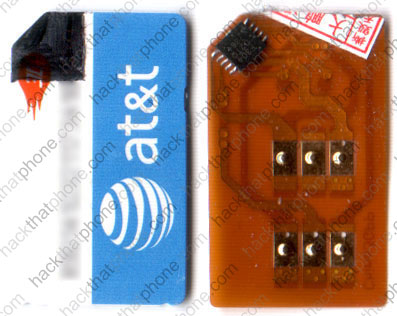
Here's what it looks like when you put the SIMs together.

Some put double sided tape between the SIMs to hold them together. I didn't have any issues, and didn't use any tape. Make sure the SIMs are square and hold the bottoms of them tightly as you insert them carefully into the slot on the top of the iPhone. If you aren't careful, it's easy for the aftermarket SIM to get caught and bend and not go in. Another thing I noted is that U.K. iPhones have much shallower SIM trays (so it's an even tighter fit) than U.S. SIM trays.
