USB file transfers / data recovery without jailbreaking
I'm going to introduce you to a couple programs for transferring files between your iPhone and your Mac. The programs are DiskAid, iExplorer and PhoneView. iExplorer is free, the other two offer trial versions. I am only writing about these programs to make you aware of them. I receive nothing from the programs' developers. I am only going to provide very superficial information on the programs as I don't write product reviews. Explore the programs as they are very helpful and easy to use.DiskAid
Sometimes people get into trouble and are unable to use SSH to transfer files to their iPhone when the Wi-Fi isn't working, or not available. DiskAid to the rescue! While I have a tutorial on how to SSH over USB, this method is far easier. This program is as simple as point and click and allows for transferring of files, even to non-jailbroken iPhones.DigiDNA offers this program for both Macintosh and Windows users here. DiskAid supports all iPhones and up to firmware 5.x. Once installed, launch DiskAid.app and you'll see the program interface. This program is unique in that you can interact with the iPhone's file system directly. PhoneView can not do this.

iExplorer
Lets you use an iPhone or iPad in disk mode, like a flash drive. iExplorer is an iPhone browser or iPad file explorer that runs on Mac & PC that lets you browse the files and folders on your iPhone as if it were a normal USB flash drive or pen drive. You can use the easy drag-and-drop methods to add or remove files and folders from the iPhone. You can download it here. They appear to sell several add on features to this program.
PhoneView
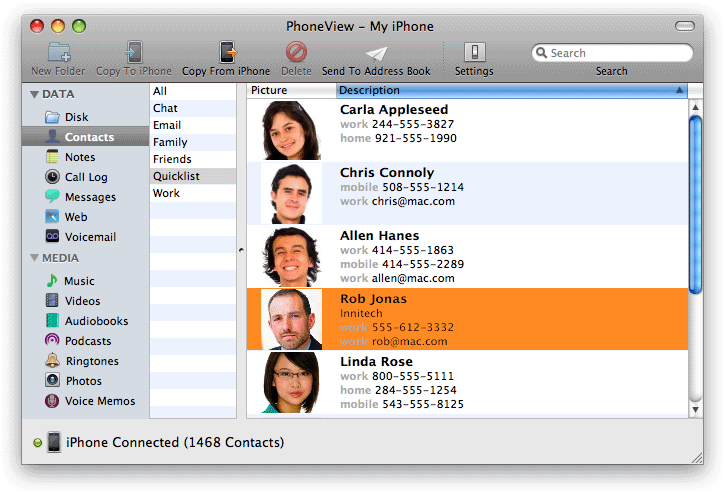
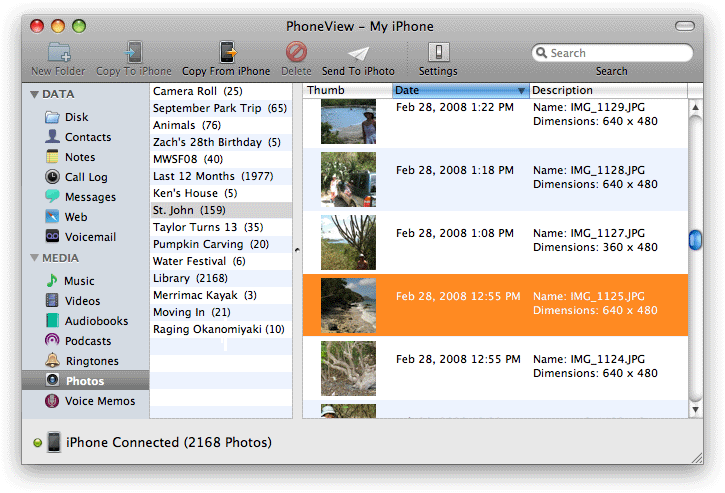
I was reading TUAW, one of my favorite news sites, and saw a letter from a reader that caught my eye. This reader had an iPhone, and their computer died on them. They purchased a new computer but wondered how they would get their personal data from the iPhone and onto their new computer. They couldn't just click sync, because that would just replace what was on their iPhone with what was in their new iTunes library (nothing). TUAW recommended a program called PhoneView.What can be retrieved? Anything stored on the iPhone in disk mode, address book contacts, notes, call logs, SMS/MMS logs and attachments, recently viewed URLs and bookmarks, voicemails, music, videos, audiobooks, podcasts, ringtones, photos and voice memos. The following screen shots (these are only a sampling of some the features) are from Ecamm's website.
The contacts tab allows you to export to your desktop or export directly into your address
book.
Music files can be sent to the desktop or directly to your iTunes library. You can even preview songs here.

Photos can be sent to your desktop or directly to your iPhoto library.
Music files can be sent to the desktop or directly to your iTunes library. You can even preview songs here.
Photos can be sent to your desktop or directly to your iPhoto library.
