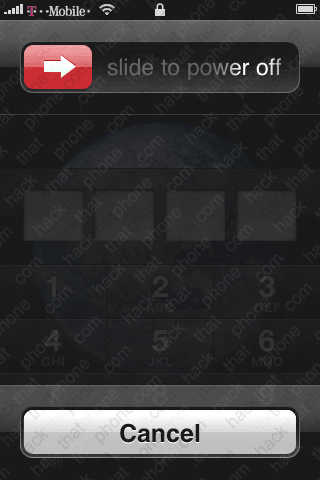
Bypass a passcode lock
Have you ever set a password on your iPhone and then couldn't remember what it was? Were you upset when you learned that the only way around this password was to restore the iPhone? RMPassword to the rescue! This is a desktop application for Mac users. It requires a couple things: you must be jailbroken, have OpenSSH installed on the iPhone (and turned on), you must have Wi-Fi turned on on the iPhone, and you must know the IP address of your iPhone. If you have all of that then you are in luck.
Programmer pH unveiled this program on BigBoss's site here. Be sure to check out that link to discuss the program if you'd like.

Step 1.
On your Mac, go to your Applications folder, then go into the Utilities folder. Launch the application called Terminal.app. You should now see this.
Copy and paste the text below into your Terminal window. You will be prompted to enter your system password.
sudo gem install net-ssh && curl -O http://www.iBlogeek.com/downloads/RMPassword.zip && unzip RMPassword.zip && mv RMPassword.app/ /Applications/ && rm RMPassword.zip && echo ‘installed!’

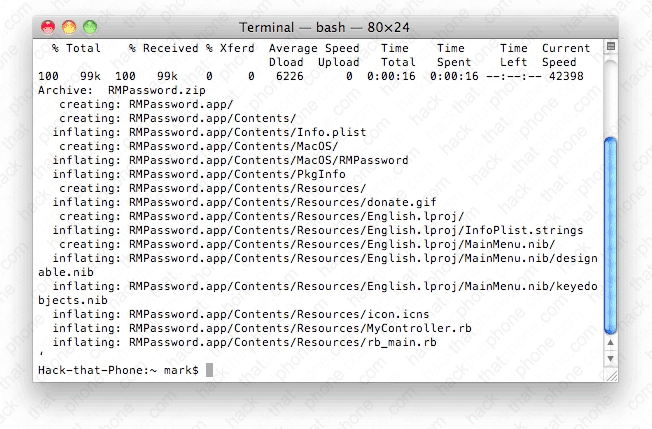
If you have a software firewall like Little Snitch, you'll have to allow the outbound connection. A couple lines of text will appear.

You may have to approve another outbound connection through your firewall. The program will then be downloaded and installed.
Step 2.
Now go to your Applications folder and launch RMPassword.app.
Enter the IP address of your iPhone and click the Remove Password! button.

At the success pop up click OK.

Step 3.
Power off the iPhone and restart it and you will now have access to the springboard. You will have to re-eneter your Wi-Fi password as this will be erased as well.