Make and use themes with WinterBoard
Section 9: Changing sliders (with custom text and audio)
Updated: July 23, 2009
I am going to use a theme in Cydia called iZipper sliders to replace the slide to unlock, slide to power off, slide to answer buttons, and the graphic that goes under the text that appears next to the buttons. This consists of four images: bottombarbkgndlock.png, bottombarknobgray.png, bottombarknobgreen.png, and bottombarknobred.png. There is also the text highlight mask image bottombarlocktextmask.png.
Note: I will be taking this theme a couple steps further than the theme that appears on Cydia, which only changes the sounds. My zipper sound is better too!
These are the images.

Step 1.
You should be at your Themes.xxxxxx folder. Create a new folder called iZipper sliders. Go inside this folder.
Make a new folder called Folders.

Go inside this folder.

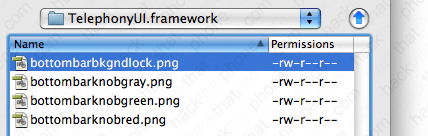
Make a new folder called TelephonyUI.framework

Go inside this folder.

Place your images into this folder. You have now completed changing out the graphics needed. To download the graphics I'm using, click here.
Step 2.
If you would like to change the text that says "slide to unlock", then download the SpringBoard.strings file from me here. Decompress this file and open the SpringBoard.strings file.
I like to use a program called BBEdit, you can get a trial version of this program for free here.
Open the file. There is only one line it it. Change the text in red (that I have highlighted in blue), to whatever you'd like. Keep in mind you can only fit so many characters in this space. Keep your text between the quotes. Save the file when you are done!

Now you need to put this file in the correct location on the iPhone. We need to create the following path inside of your iZipper sliders folder: Bundles/com.apple.springboard/en.lproj Start at your iZipper sliders folder and click New Folder, then enter Bundles, and click create.

Then double click the Bundles folder to go inside it.

Now create a folder called com.apple.springboard

Double click to go inside this folder...
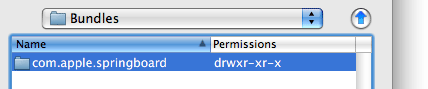
Create a folder called en.lproj Note: en.lproj has an L in it, that is not an i. It's short for English Language Project. Other languages use other abbreviations, for example Portuguese uses pt.

Go inside this folder.

Now copy your SpringBoard.strings file into this folder. You are now done with the text change.

Step 3.
I also switched out the standard lock sound for an opening zipper sound. You can download this sound from me here.To add this sound, go into your iZipper sliders folder, and create a folder called UISounds.


Go inside this folder. Then copy your unlock.caf into it.


Step 4.
Launch WinterBoard and try out your new theme.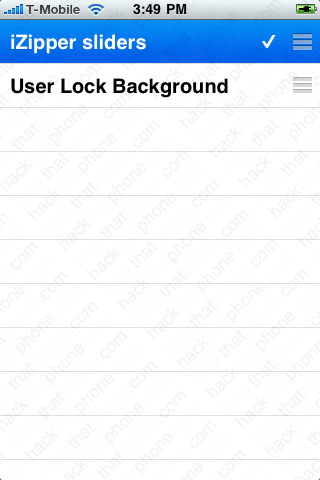

There's nothing saying that the slide to unlock slider, has to slide. There is a theme on Cydia called Tap To Unlock Sliders, which as the name suggests, allows you to tap a button to answer a call, to power down, or to begin using your iPhone, without having to slide a button. The only difference is you only put the three buttons into the TelephonyUI.framework folder. There is no bottombarbkgndlock.png image. If you should just use the graphics below, keep in mind you need to edit the SpringBoard.strings file and remove the text for all three conditions in which you would tap. I would just install the theme from Cydia as I won't cover further editing the .strings file.
This is the bottombarknobgray.png graphic:

This is the bottombarknobgreen.png graphic:

This is the bottombarknobred.png graphic:

Ready to change the spinning wheel graphic?
