Downgrading the baseband on a 3G iPhone to unlock it.
intel Mac & PPCUpdated: May 14, 2009
Prerequisites for use:
- Jailbroken 3G iPhone (see my Step 1 guide if you haven't done this yet).
Step 1.
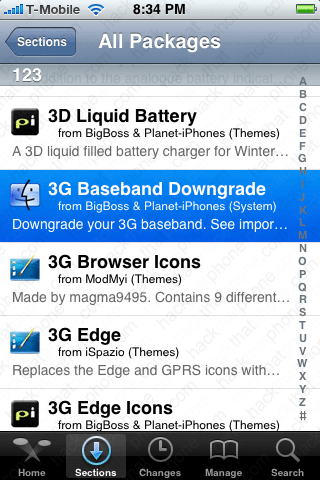
Launch Cydia and install the program 3G Fuzzyband Downgrader (hey I don't name these programs, I just report on them).
Launch 3G Fuzzyband Downgrader and it will automatically place your iPhone into Airplane Mode and check your boot loader version. If you have the 5.08 bootloader the program will continue and downgrade your baseband. I have 5.09, so the process stops abruptly. If you have 5.08 you will be given the option to downgrade your baseband. Once finished, you can then install yellowsn0w via Cydia to unlock your 3G iPhone.


Old method of determining your boot loader version.
As long as you have the 5.08 boot loader on your iPhone, you can now downgrade the baseband from 02.30.03 to 02.28.00 so that you can unlock it using yellowsn0w. I will demonstrate how to verify which boot loader your have on your iPhone.If you don't know how to install OpenSSH and use the Terminal on your Mac, then read my tutorial on this here.
Step 1.
Download the file called BBUpdaterExtreme here. You should now have this icon on your desktop.
Step 2.
Launch Fugu and copy the BBUpdaterExtreme file to your /bin folder on your iPhone.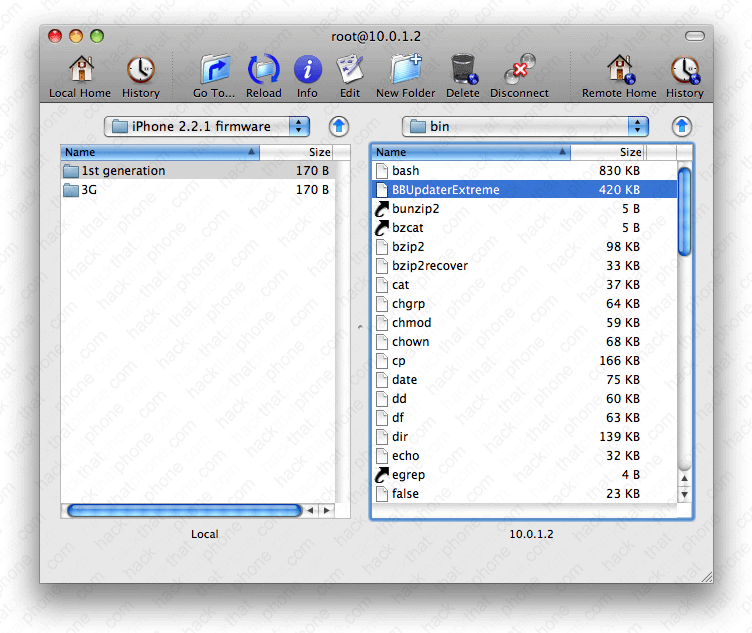
Right click the file and select Get Info.
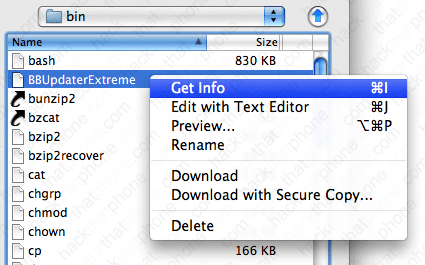
Make sure your check boxes match these. Click Apply. You can close Fugu at this point.

Step 3.
Open Terminal on your Mac. After logging in to your iPhone, enter this command:launchctl unload /System/Library/LaunchDaemons/com.apple.CommCenter.plist
Press enter and you will lose your cellular signal, and your Wi-Fi signal. This is normal. You can close the Terminal on your Mac now.

Step 4.
Launch MobileTerminal on your iPhone. Enter the following:cd /bin then press return.

Now enter:
./BBUpdaterExtreme queryversion and then press return.

Toward the bottom you will see boot loader version. You MUST see 5.08 here. These are the ONLY numbers on this screen we are interested in. Reboot your iPhone.

Step 5.
Launch Cydia and install 3G Baseband Downgrade. Since I do not have a 5.08 boot loader iPhone I can not show you the rest of the process from this point forward. Once this process has completed simply install yellowsn0w to unlock your iPhone. Remember to not update or restore this iPhone using iTunes unless a jailbreak process exists for updating the firmware, but not the baseband (PwnageTool).