How to determine your firmware version
Updated: February 1, 2008
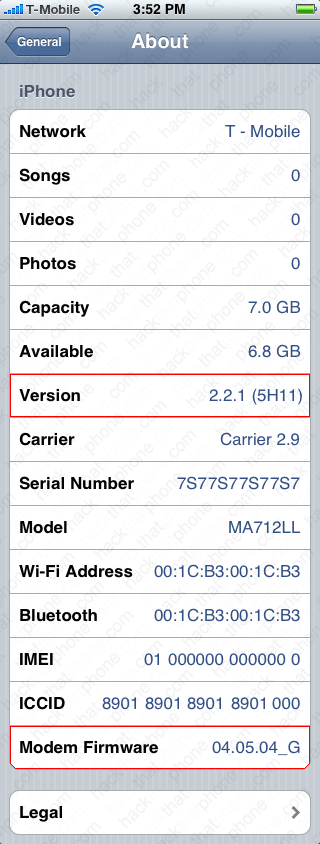
To determine which firmware(s) you have on your iPhone, press the Home button, then the Settings button, then press General, then press About. Look at the entry for "Version". It will have a number next to it and another number in parantheses. We're only concerned about the first two (or three) digit number. In my examples I have 2.2.1 firmware. So when you hear: Apple is releasing new firmware, that's the number they are talking about.
Note: If you are still using 1.1.4 firmware, then click here for my deprecated tutorials.
There's another firmware number you should be aware of. This is the one that says "Modem Firmware". This is also referred to as baseband by us hackers/unlockers. Every time you update your firmware (i.e. 2.2.1), the modem firmware gets updated too (except for the 1st generation iPhone). While baseband updates are good for most iPhone users, they are usually bad for those who want to unlock their iPhones. But for now, do not concern yourself with this.
The image on the left is from a 1st generation iPhone, the image on the right from a 3G iPhone. I have outlined in red, the two version numbers.

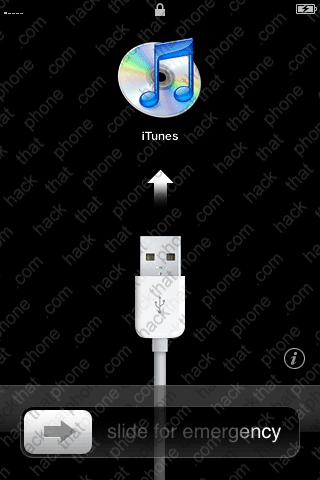
If you have a new iPhone that hasn't been activated or modified, then this is what you must do to determine what firmware you have.
If you see this image when you turn the iPhone on, then you have a 2.x firmware installed.
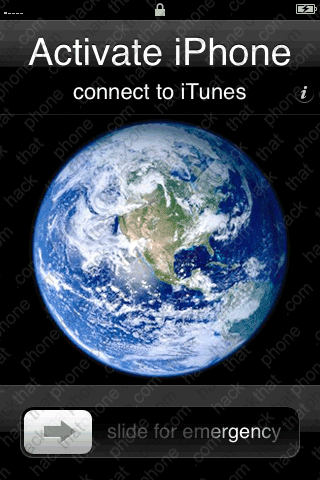
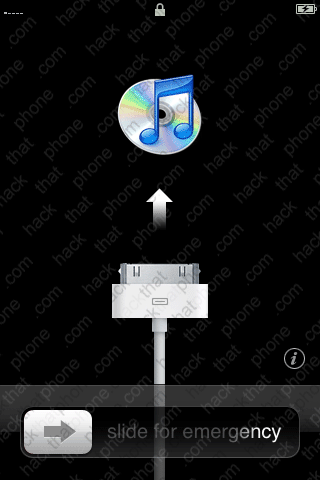
There are only two other images that will be displayed when turning on an unactivated iPhone. The image on the left is associated with firmware 1.0, 1.0.1, 1.0.2 and 1.1.1. The image on the right is associated with firmware 1.1.2, 1.1.3, and 1.1.4 only.
To further determine if you have 1.0, 1.0.1, 1.0.2 or 1.1.1 firmware there is one more thing that can easily be performed. At the main screen on the iPhone, slide the slider to access the emergency call panel. Enter *3001#12345#* and then press the Call button.
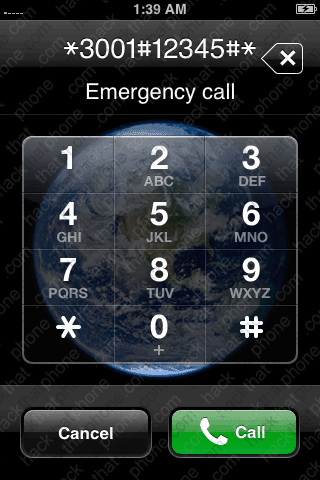
You will now see this screen. Press the Versions menu. You'll see the infamous typo menu entry called Firware version. This is actually supposed to say firmware version. This particular firmware number refers to the modem version.


- 1.0 firmware has 03.11.02_G modem firmware.
- 1.0.1 firmware has 03.12.08_G modem firmware.
- 1.0.2 firmware has 03.14.08_G modem firmware.
- 1.1.1 firmware has 04.01.13_G modem firmware.
- 1.1.2 firmware has 04.02.13_G modem firmware.
- 1.1.3 firmware has 04.03.13_G modem firmware.
- 1.1.4 firmware has 04.04.05_G modem firmware.
- 2.0 firmware has 04.05.04_G modem firmware (1st generation iPhones will remain at this baseband level).
- 2.0 firmware has 01.45.00 modem firmware.
- 2.0.1 firmware has 01.48.02 modem firmware.
- 2.0.2 firmware has 02.08.01 modem firmware.
- 2.1 firmware has 02.11.07 modem firmware.
- 2.2 firmware has 02.28.00 modem firmware.
- 2.2.1 firmware has 02.30.03 modem firmware.
