Video game emulators
From left to right, the Sega Genesis, Nintendo Entertainment System, and the GameBoy Advance emulators running on an iPhone.
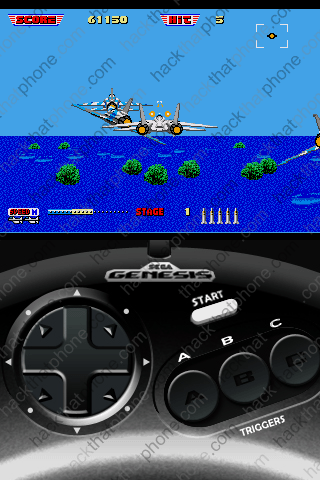


First, these emulators are for jailbroken iPhones only! I don't ever see these being released officially on the App Store, even by their original manufacturers. There are many emulators out there, and as far as I know, all but one (NES by NerveGas), were created by ZodTTD.
You can read about NES here.
You can read about all the other emulators: gameboy4iphone (GameBoy), genesis4iphone (Sega Genesis), gpSphone (GameBoy Advance), mame4iphone (Multiple Arcade Machine Emulator), psx4iphone (Sony PlayStation 1), snes4iphone (Super Nintendo Entertainment System), temper4iphone (NEC Turbo Graphix 16) at ZodTTD's site here.
I have written two tutorials, this one for NES, and this one for gpSphone. I'm not going to make a tutorial for every single emulator. ZodTTD's emulator installations are all essentially the same: you download the emulator via Cydia, Google for the BIOS (the heart of the emulator, which is copyrighted), and Google for some games to play (ROMs as they are known, and which are also copyrighted). You then use SSH to transfer the BIOS and the ROMs to the iPhone. I do not link to any BIOS or ROM files. I will not supply these files, so don't ask. Use the power of Google.
There is also a homebrew ROM scene. This is where programmers have created their own games and have made them available for free.
PDRoms prides itself on offering freeware, public domain, or ROMs that have otherwise been legalized for free and unrestricted use by their authors. Check this site out here.
There was a class taught at Carnegie Mellon University by Professor Bob Rost in 2004, that was about creating games for the 8-bit Nintendo Entertainment System. Many games are available from that class. Go to Mr. Rost's site here.
To make it easier to play these games, an invention called iControlPad was dreamed up. It allows the iPhone to sit in a craddle that has dedicated controller buttons on it. This is a mock up image of what it will look like.

There is a video of it in action. The actual unit will be black, not white as demonstrated. Visit the iControlPad web site here.
