Jailbreaking the 3G iPhone (with 2.1 firmware)
intel Mac & PPCPage 2 of 2
Step 4.
Put the iPhone into recovery (restore) mode by doing the following: with the iPhone off, press and hold the Home button, and then plug the iPhone into your Mac.
You should now see this on your iPhone.

A pop up from iTunes will appear.

You should be at this screen.
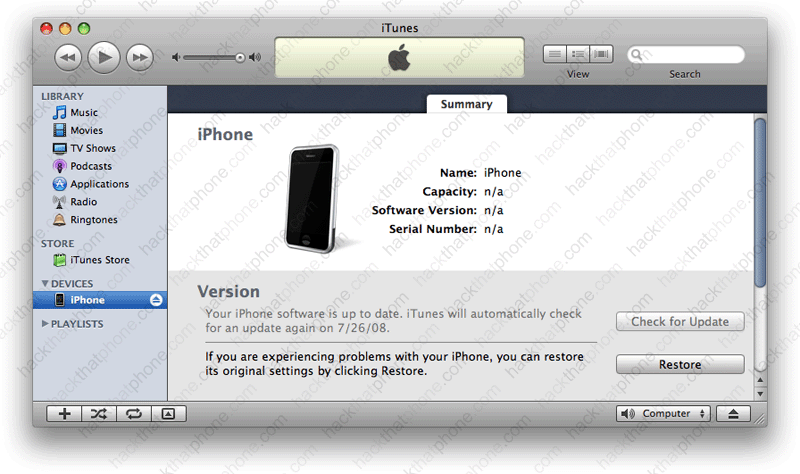
Press the Option key on your keyboard, and click the Restore button in iTunes. In the pop up window that opens, navigate to the custom .ipsw file that was saved to your dekstop by PwnageTool at the end of Step 3.

You will see various status bars, while the restoring process continues. If you chose a custom boot logo image, or the Pwnapple image, it will appear on the iPhone during the restore.

The iPhone will reboot at this point. You should see the activation screen on the iPhone for a minute. It should then automagically activate (if you are a contract customer). Note: Mine did not activate. It just said no service. I wound up rebooting my Mac, and then it worked.


iTunes should prompt you to set up the iPhone. This is your chance to restore your backup with your personal information and App Store applications.

Then this screen will appear, confirming you are on 2.1 firmware.

Note: Cycorder is installed already (I selected it when building my custom .ipsw). I don't see WinterBoard or Terminal installed though...


I find, and this is repeatable, that I need to install something from Cydia (like BossPrefs) once I am jailbroken, to make my other pre-installed applications appear.
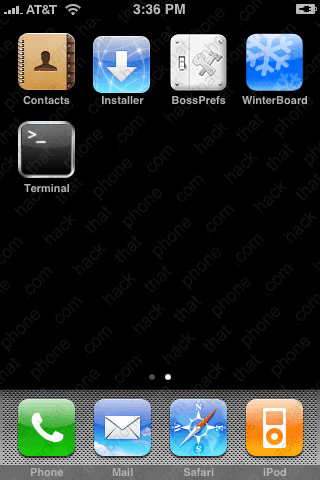
You can verify your firmwares in the About screen. Note my baseband was NOT updated.


