Make and use themes with WinterBoard
intel Mac & PPCSection 13: Simplifying the lock screen.
Note: If you replace any graphic with your own custom graphic, make sure you are saving the file as a png, and that it retains the same dimensions as the original. You can try experimenting with dimensions, but your restults may be mixed.
I've seen a few people clean up their lock screens so they could better see their wallpaper image, and I kind of like it. This time I'll start of by showing you the end result first. On first glance, you might think that there is no way to unlock the iPhone since there is no slider in the image on the right. However, it works perfectly fine. The graphics are still there, they are just transparent. Personally, I think this would look better if the time and date didn't display, or if it could be centered, lower on the screen.
You should also see Sections 23 and 25 to learn how to remove the clock and date text from this screen.
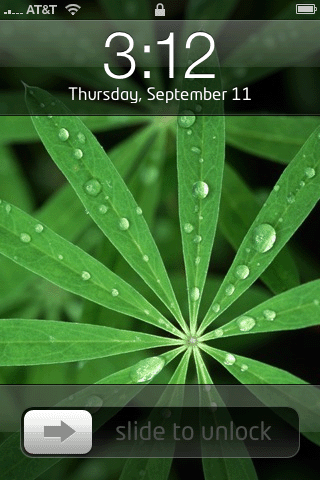

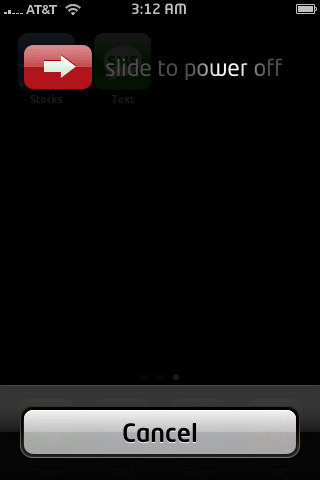
Should you do this, you should be aware of two drawbacks: when you turn the iPhone off, or answer a call, the graphics you made disappear on your lock screen will disappear on these screens as well. Note: I put a black bar over the area where my phone number displayed for the purposes of this demonstration, this has nothing to do with the graphics that must be modified.

Step 1.
Download this collection of files. It contains everything you will need. Decompress this file and you will be left with a folder.
Step 2.
Launch Fugu and log into your iPhone and head to your /Library/Themes folder. Copy the folder you downloaded to the Themes folder.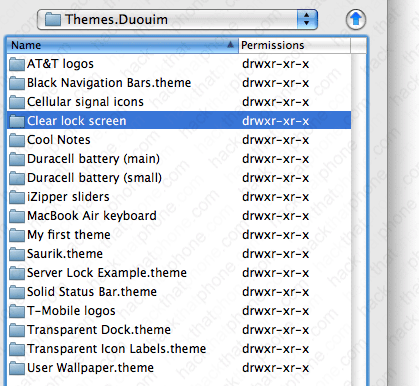
Step 3.
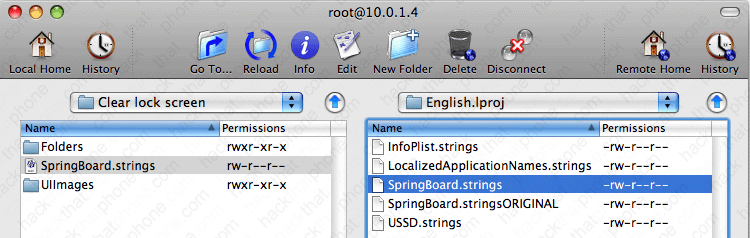
There is a file in the folder you downloaded that needs to be copied elsewhere onto your iPhone. It's ok that it's in your theme folder, but it won't do what it is supposed to there. Navigate to your /System/Library/CoreServices/SpringBoard.app/English.lproj folder. You should see a file named SpringBoard.strings. Right click this file, and select Rename.
Rename your file to SpringBoard.stringsORIGINAL. You can then easily restore this file by renaming it.

Copy the SpringBoard.strings file from the folder you downloaded to your English.Iproj folder.
Step 4.
Launch WinterBoard, and select your new theme.
Ready to give your phone's keypad a facelift?
