Factory unlocked iPhone
Updated: November 30, 2012To see the iPhone 4 and 4S page click here.
On November 29, 2012, Apple released an unlocked version of the iPhone 5 in the United States.
- MD293LL/A is the black 16 GB version.
- MD295LL/A is the black 32 GB version.
- MD642LL/A is the black 64 GB version.
- MD294LL/A is the white and silver 16 GB version.
- MD296LL/A is the white and silver 32 GB version.
- MD643LL/A is the white and silver 64 GB version.
On April 8, 2012, AT&T began unlocking iPhones for customers that have completed their contract, or have paid an early termination fee. You simply log in to your AT&T account, then go to Technical Support and intiate a chat session. You then provide some account information along with the IMEI of the iPhone. AT&T verifies that your iPhone is able to be unlocked and submits your IMEI to Apple for unlocking. You then connect to iTunes and restore the iPhone (or just use redsn0w to deactivate it then reconnect it) and it is unlocked. I unlocked an iPhone through AT&T and documented the process here.
To order the unlocked iPhone go to this page: http://store.apple.com/us/browse/home/shop_iphone
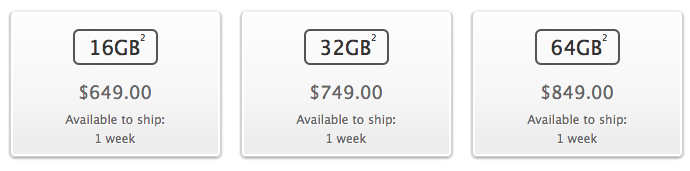
Step 1.
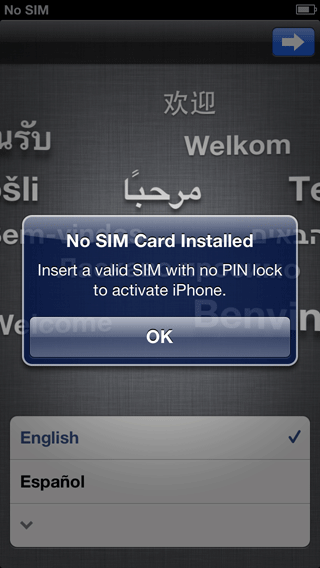
I own a factory unlocked iPhone 5, and will show you what to expect when you receive one.The unlocked iPhone does not come with a SIM card. Upon boot up you will see this screen. Slide and you'll receive a warning about the absence of a SIM card.

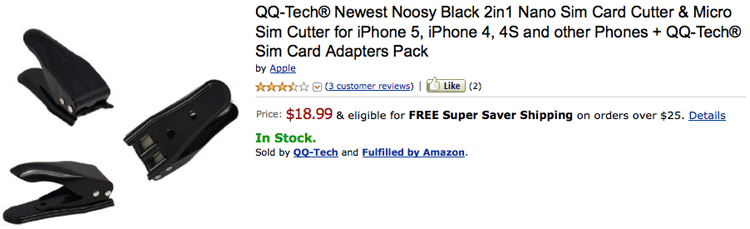
I used a Noosy brand SIM tool to convert my micro SIM to a nano SIM. Here's the link.
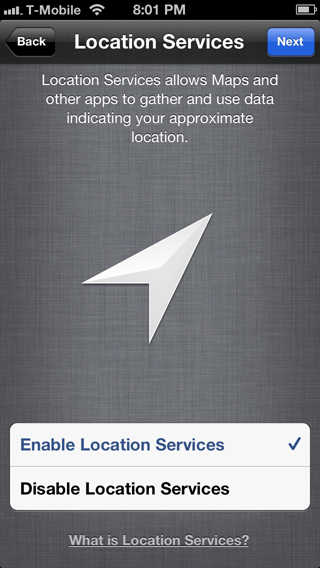
I then inserted it into the iPhone. I never launched iTunes to activate. By the time I got to the Location Services screen it recognized my T-Mobile SIM. About a minute later and I was ready to go.

When you connect to iTunes (if you do) it will prompt you to register and set up your iPhone.

