Tethering without a plan...
Posted: February 9, 2013Who is this guide for?
- You must already be jailbroken!
- Tested on T-Mobile. Should also work with AT&T, Sprint and Verizon provided you have a data plan.
I'll demonstrate how to tether your Mac via USB to your iPhone over 3G. The current version of TetherMe does not work on the iPhone 5 over Wi-Fi but does on the iPhone 4 and 4 S so I'm attaching and older tutorial on how to tether your iPad to your iPhone.
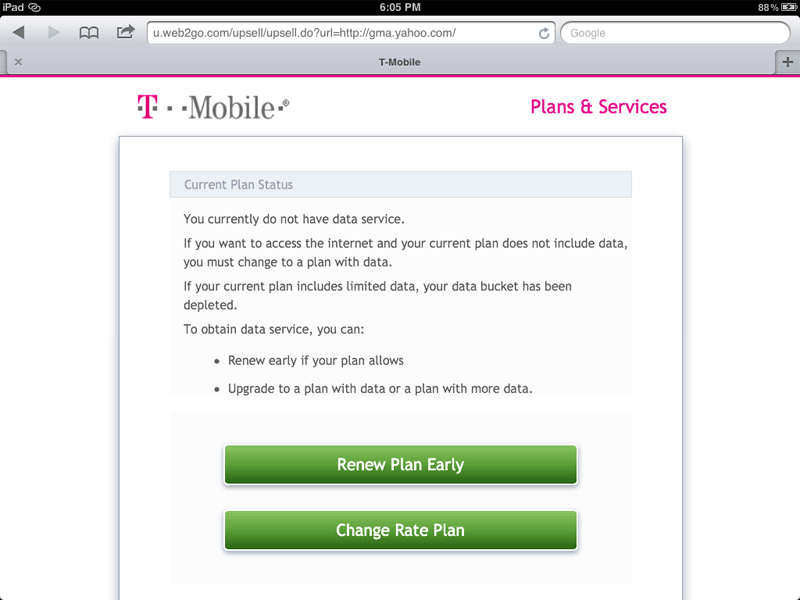
It is important you understand that I do not have a data plan. When I launch a browser to test the connections you'll see that I go to a page to sign up for a data plan. Other than that, this is exactly how the process will work if you do have a data plan.
Method 1: Mac to iPhone - Step 1.
Launch Cydia and install TetherMe (or your favorite tethering program - My-Wi has a free trial.) Press the Restart SpringBoard button when prompted.

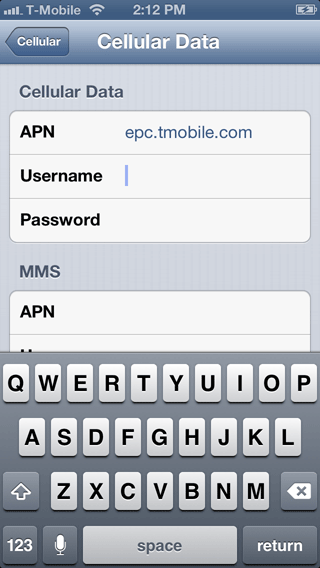
Go to Settings > General > Cellular and turn on Cellular Data and Enable 3G. Then press Cellular Data Network.

If you are using T-Mobile then enter epc.tmobile.com in the Cellular Data section under APN and in the Internet Tethering section under APN. No username or password is needed. If you are using AT&T then enter wap.cingular for these two sections. For additional T-Mobile iPhone settings see this page.

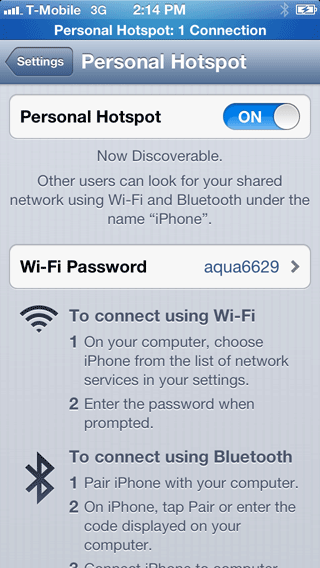
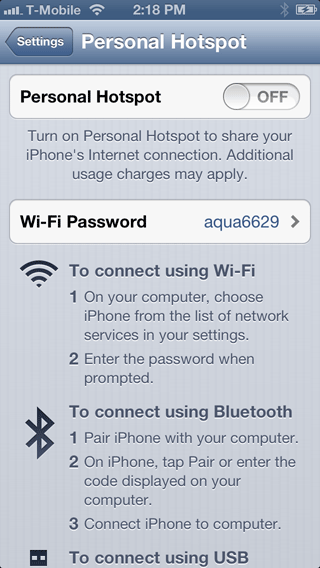
Go back to the Settings menu and press the Personal Hotspot button (you can also scroll down to the TetherMe menu). Slide the slider to ON to enable Personal Hotspot.


There are three ways you can tether: Wi-Fi, Bluetooth or USB. I'm going to use USB. Slide the slider to ON.

Method 1: Mac to iPhone - Step 2.
On your Mac, open System Preferences and go to Network. Select iPhone USB. It should show that it's connected.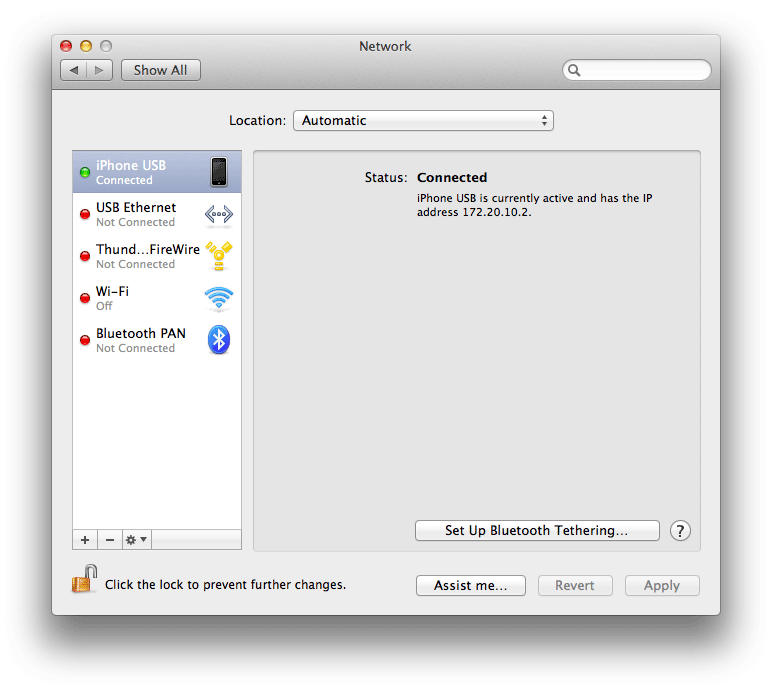
Open a browser and check your internet connection (make sure you've disabled Wi-Fi on your Mac.) In my case I get this page since I don't have a data plan with T-Mobile, but obviously the data connection is working.

Blue bars will display to let you know you are tethering.


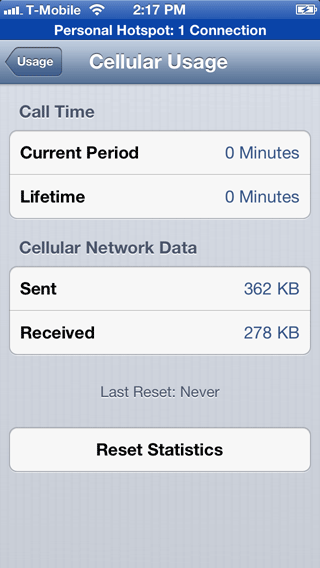
To view your data usage go to Settings > General > Usage > Cellular Usage. The Personal Hotspot menu appears in three locations: from the main Settings page; Settings > General > Cellular and Settings > TetherMe. Don't forget to shut this off when you are done!
Method 2: iPad to iPhone - Step 1.
Make sure Personal Hotspot is turned on. Notice the Wi-Fi Password. Yours is probably different from mine. You can also go into a submenu and customize this password.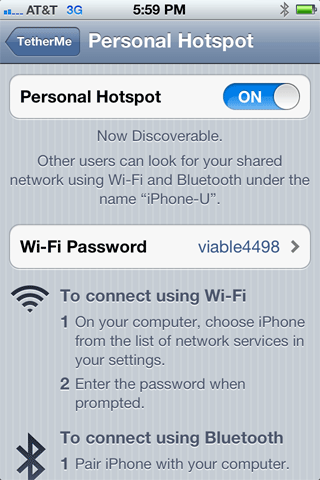
Launch Settings on your iPad. Choose your iPhone's name under the network selection area.
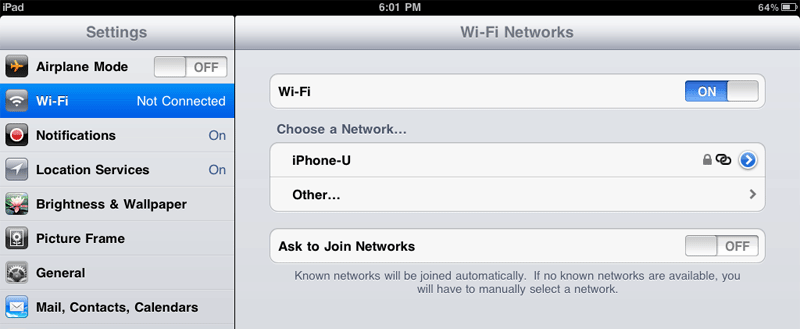
Enter the password here and press Join.

You should now see the personal hotspot icon next to your network name and next to the word iPad.

Launch your browser.