A little bit of this, and a lot of that
This isn't a tutorial by any means. I'm just letting you know about a couple easy hacks to install to give you more screen real estate. You can add a fifth row of icons to your screen, your dock, and of course your multi task switcher. You can also go the other route and have just one icon smack in the middle of your screen. Keep reading.More icons
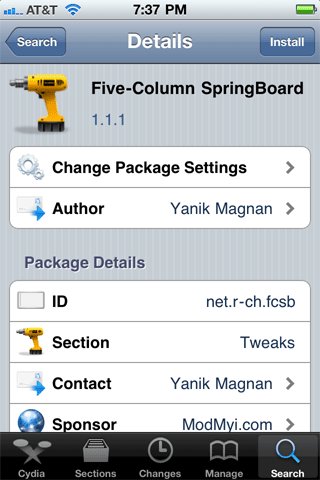
If you really want to cram those icons onto each page... Launch Cydia and install the following programs: Five Icon Dock, Five Icon Switcher, and Five-Column SpringBoard. When prompted, restart the springboard.


There they are. Double tap the home button to check out the switcher.


Fewer icons, in any order
Install the program Gridlock. You'll have to purchase it first. But then you can do almost anything with it, icon wise that is. Hold an icon until it wiggles, then drag and drop them anywhere you want. You can still have icons in your dock. I just chose not to put them there. I should point out that I'm using some other WinterBoard themes to put the kibosh on the spotlight icon and page dots, and the dock. If you look really close at the Utilities folder you'll see I've also changed the default background there too.


