Hacker's flow charts
I have decided to no longer maintain this page. It's a real chore to do it, and I hate doing it. I have a page on my site that shows all the current programs and what firmwares they work on as far as jailbreaking and unlocking. You can read that page here.These charts only valid up to 4.1 firmware.
If you own an iPhone 3G, 3G S or 4, then I recommend using TinyUmbrella to save your SHSH file now. You can read how to do that here. Saving this file will allow you to restore to that unique firmware indefinitely. You can see an example of restoring to firmware Apple doesn't approve of with an iPhone 3G S here. That tutorial uses an older version of TinyUmbrella. If you are a member then you can see the new TinyUmbrella being used on an iPhone 4 to downgrade it here.
The flow charts below are intended to provide a general overview of the jailbreaking and unlocking scene. For more detailed information as it pertains to your iPhone, consult my various Step 1 tutorials in the Start here menu (or in the Miscellaneous menu).
You follow these charts at your risk, not mine.


|
Get your SHSH on file with Cydia as soon as possible. This enables you to either
downgrade your main OS firmware, or simply restore to an older firmware that Apple is no longer
signing. See Saurik's site or
this page for more information.
While you can use an SHSH to downgrade your main OS firmware, it will not downgrade your modem firmware (also called baseband). When you have your SHSH on file with Cydia, Cydia will display a similar message toward the top of the screen. In my example I have SHSHs on file for multiple firmwares meaning I can always restore to any of those firmwares at any time. |

|
|
There are a few issues in relying solely on Cydia to retrieve your SHSH. Sometimes
Saurik's server gets overloaded (like it did around the release of the Spirit jailbreak on May 3rd,
2010, and when any new firmware is released) Cydia users saw this message at the top of the screen
because of it. Pretty unhelpful if you need to restore your iPhone right now to an older firmware,
isn't it?
Even when Saurik's server is operating normally it still takes days or even weeks for it to cache your SHSH for a newly released firmware because millions of other people are trying to do this as well. Finally, you must be jailbroken to use Cydia to retrieve your SHSH. Another programmer by the name of Semaphore addressed all these issues with a program he created called TinyUmbrella. You can now acquire your saved SHSH files from Cydia, or from Apple and store them on your own computer. It will also configure iTunes so that it will verify any restores you need to perform without having to manually edit a hidden system file on your computer. This program will also create the SHSH file. I have written a tutorial based on this method here. Unlike Cydia, you do not need to be jailbroken to use this program. Read this thread, and this thread for more information. To learn more about the iTunes verification process, read this article by iGuru. |

|
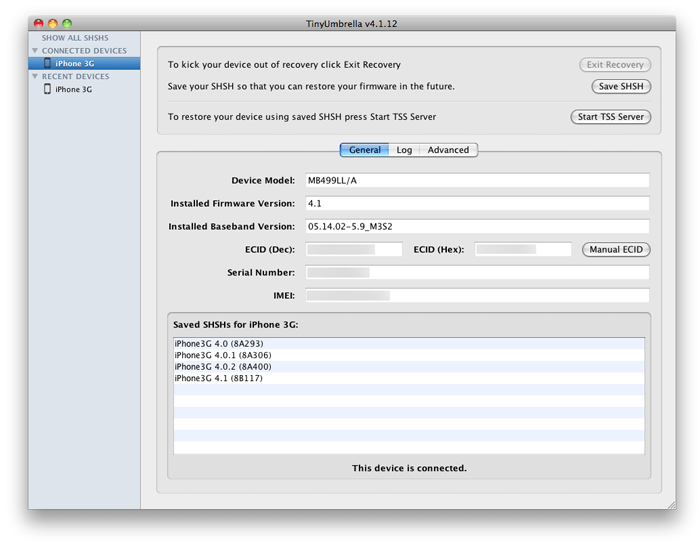
This is what the TinyUmbrella program looks like (version 4.1.12 pictured).