Manually updating Cydia Installer
Posted: June 29, 2011Normally Cydia is updated through the program itself. A newer version was released for testing purposes. It should be installed at your own risk. However if you MUST have the latest version right now then keep reading.
Cydia was just updated to version 1.1.2. In case the program you used to jailbreak with (PwnageTool, redsnow) isn't updated soon to include the new version of Cydia, then you'll have to follow this tutorial to manually update Cydia. It's very simple to do via SSH with a Terminal command. If you don't know what I'm talking about then read the following tutorial to get up to speed: OpenSSH.
Step 1.
Download the Cydia 1.1.2 .deb file here. You should now have this file on your desktop.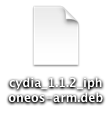
Step 2.
Use your favorite program to SSH into your iPhone. I'm using YummyFTP in my example. Navigate to the /tmp folder. Copy the .deb to this folder.
Step 3.
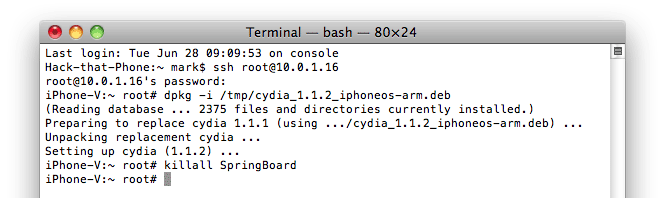
From the Mobile Terminal on your iPhone, or the Terminal on your Mac enter the following commands:|
dpkg -i /tmp/cydia_1.1.2_iphoneos-arm.deb
killall SpringBoard |
Step 4.
After your iPhone reboots, launch Cydia. You can view the updated version number on the main page at the bottom, or in your list of installed packages.

