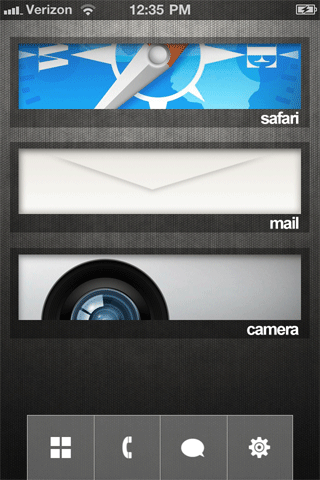
Themes with DreamBoard
Posted: July 14, 2011DreamBoard was released a few months ago and at the time was a for fee application. It is currently a free application. It was intended as a competitor to WinterBoard. It's touted as a quicker way to theme your iPhone with both graphic swapping and the ability to place widgets wherever you'd like.
There are only a handful of themes available, and the majority of those themes are for sale for just a couple dollars. To be honest, the DreamBoard method of theming isn't really an improvement on WinterBoard. For example, if you don't like the way a theme is programmed (for example specific applications having to be in specific locations on your screen) then you must reprogram the theme which can be tedious. Generally there are only a couple of program icons per screen so you can waste a lot of time swiping through pages to get to an application which you may not like. The alternatives range from having just one folder to contain all applications, or a couple folders to places icons in (which you may or may not be able to change the names to, or have display in a different order).
DreamBoard comes with an HTC Android theme called Endroid. It also supplies a custom lockscreen.
You can read the thread posted by the author of DreamBoard at ModMyi.com here.
You can read about creating themes at the DreamBoard Wiki here.
You may want to learn about WinterBoard, as the tutorials will give you the foundation for creating, modifying and understanding the structure of themes used in DreamBoard. Read about it here.
Launch Cydia and install DreamBoard. Reboot the iPhone and then launch the application.

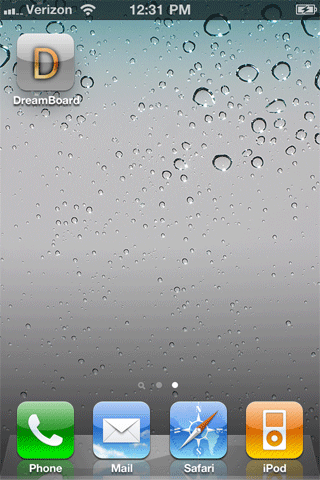
You'll see this screen next. Your default theme, and the Endroid theme are available.


To find more themes, launch Cydia and press Sections. Scroll down to Themes (DreamBoard) and you'll see a selection to pick from. Here is the Barred theme.


Here's OS7, and iNight.


iSimple is another free theme.